One Screen Was Never Enough: 5 External Monitors That Make Remote Work Actually Work
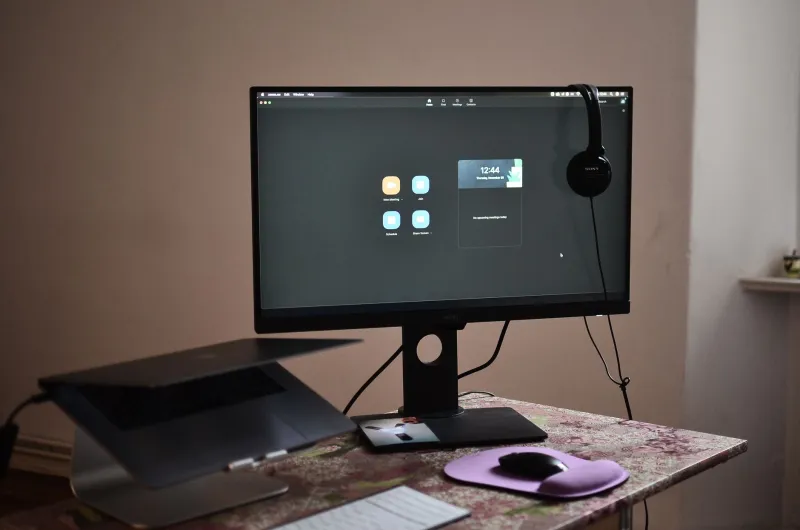
There's a quiet tax on remote workers that nobody talks about enough: the laptop screen. That compact display made total sense when you were hopping between coffee shops and conference rooms. But now that your kitchen table or home office is your permanent headquarters, that same screen is quietly draining your focus, wrecking your posture, and making multitasking feel like a game of digital Tetris you're always losing.
The fix isn't complicated. A solid external monitor changes everything — more real estate, better color accuracy, less squinting, and the kind of ergonomic positioning that stops you from hunching like you're reading a scroll. We rounded up five options across different price points and use cases so you can stop guessing and start actually working.
What We Looked At (And Why It Matters)
Before we get into the picks, here's a quick cheat sheet on the specs that actually move the needle for remote workers:
- Resolution: 1080p is fine for basic tasks, but if you're doing any creative work or staring at dense spreadsheets, 1440p (QHD) or 4K makes a noticeable difference in clarity.
- Refresh rate: For productivity, 60Hz is sufficient. Gamers or video editors will want 120Hz or higher.
- Panel type: IPS panels offer the best color accuracy and wide viewing angles. VA panels have better contrast. TN panels are fast but look washed out off-axis — not ideal for long sessions.
- Ergonomics: Height adjustment, tilt, and swivel aren't luxury features. They're the difference between a comfortable afternoon and a stiff neck by 3 PM.
- Connectivity: USB-C with power delivery is a game-changer if you want a single-cable setup.
Okay, let's get into it.
1. LG 27UK850-W — The All-Around Workhorse
If you had to pick one monitor for a remote work setup and never look back, the LG 27UK850-W makes a strong case. It's a 27-inch 4K IPS display with USB-C connectivity that can charge your laptop at the same time — meaning one cable does it all. The color accuracy is excellent out of the box, which matters whether you're on video calls, reviewing design files, or just want text to look sharp.
The stand offers solid height and tilt adjustment, and the bezels are slim enough that it doesn't feel like you're staring into a window frame. It's not the cheapest option on this list, but it's the one that feels like a genuine upgrade the moment you plug it in.
Best for: Remote workers who want one premium display and a clean, minimal desk setup.
2. Dell UltraSharp U2722D — The Professional's Pick
Dell's UltraSharp line has a reputation for a reason, and the U2722D holds it up. This 27-inch QHD monitor is built for people who spend serious time in front of a screen. The IPS Black panel delivers deeper contrast than a standard IPS, and color accuracy is the kind of thing photographers and designers actually notice.
What sets it apart for remote workers is the daisy-chaining capability — you can connect multiple monitors through a single Thunderbolt port — and the built-in USB hub, which turns your monitor into a connectivity center. The ergonomic stand is among the best in this price range, with full height, tilt, swivel, and pivot adjustment.
It's a premium product at a premium price, but if your work involves anything visual — or you just want your setup to feel genuinely professional — this one delivers.
Best for: Power users, creative professionals, and anyone running a dual-monitor setup.
3. ASUS ProArt PA278CV — The Value Play That Doesn't Feel Like One
This is the monitor that surprises people. The ASUS ProArt PA278CV is a 27-inch QHD IPS display that punches well above its price point in terms of color accuracy and build quality. It's factory calibrated with a Delta E < 2 rating — basically, what you see is what's actually there, color-wise.
For remote workers who aren't necessarily in creative fields but still want a reliable, accurate display for long days of document work, video calls, and browser-heavy multitasking, this is the sweet spot. The USB-C port handles data and 65W of power delivery, the stand is fully adjustable, and the overall build feels sturdy without being flashy.
Best for: Remote workers who want professional-grade accuracy without paying professional-grade prices.
4. Samsung 32-Inch Smart Monitor M8 — The One That Does More
The Samsung M8 is a bit of a different animal. Yes, it's an external monitor — and a good one, with a 4K IPS panel and USB-C connectivity. But it's also a smart TV, a wireless hub, and a platform that runs apps like Netflix, Slack, and Microsoft 365 without a PC attached. If your remote work setup occasionally blurs into streaming or casual browsing, that versatility is genuinely useful.
It's also just nice to look at. The design is slim, the included SlimFit webcam snaps magnetically to the top, and the color profile is vivid without being overblown. The 60Hz refresh rate keeps it firmly in productivity territory rather than gaming, but for the remote worker who wants one device to handle work, entertainment, and everything in between, the M8 makes a compelling pitch.
Best for: Remote workers who want their monitor to moonlight as a smart display or streaming device.
5. AOC 24B2XH — The Budget Entry That Earns Its Spot
Not everyone needs 4K. Not everyone has the budget for it either, and that's completely fine. The AOC 24B2XH is a 24-inch 1080p IPS monitor that does the basics right at a price that won't require a conversation with your accountant. Thin bezels, decent color reproduction, and a slim profile make it a solid first external monitor for anyone stepping up from a laptop screen for the first time.
The stand is more limited — you get tilt but not height adjustment — so pairing it with a monitor arm is worth considering. But at its price point, you're getting a meaningful upgrade over a built-in laptop display without overcommitting to a setup you're still figuring out.
Best for: First-time external monitor buyers, budget-conscious remote workers, or a secondary display in a dual-monitor setup.
The Bottom Line
Your laptop screen isn't broken. It's just not built for the way you're using it now. An external monitor isn't a luxury — it's one of the highest-return investments you can make in your home office, right up there with a decent chair and a reliable internet connection.
If you want the full package, go with the Dell UltraSharp U2722D. For the best value without compromise, the ASUS ProArt PA278CV is hard to beat. Just starting out? The AOC 24B2XH will change your workday without changing your budget.
Five picks. No guesswork. Your eyes will thank you by Friday.