One Ring Light Away From Looking Like a Pro: 5 Affordable Lighting Setups That Transform Your Video Calls
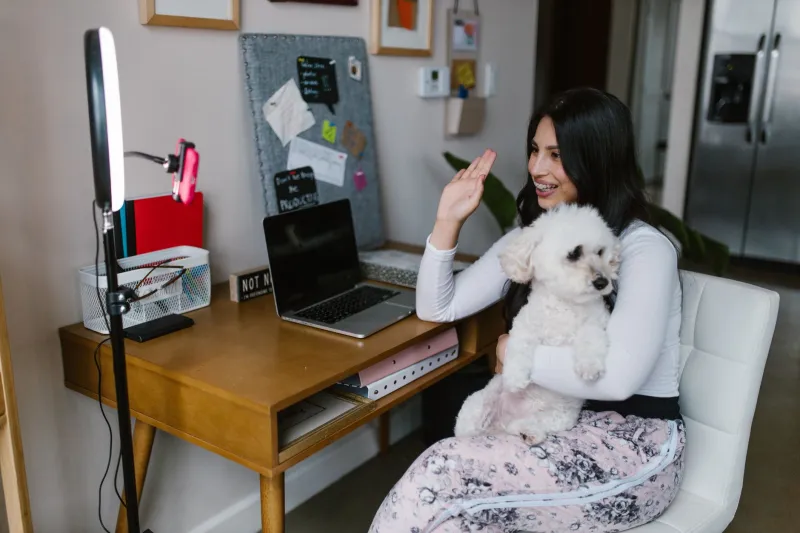
You've invested in a good webcam. You've got decent audio. You've cleaned up the background. And you still look like you're calling in from a submarine. The problem, almost certainly, is your lighting—and it's the single most fixable issue in any home video setup, usually for under $50.
Here's the thing about light: your camera doesn't process it the way your eyes do. What looks perfectly fine to you sitting at your desk can read on camera as a shadowy, washed-out mess. Overhead lights create unflattering downward shadows. Windows behind you blow out your face entirely. A single lamp to the side makes you look like a villain in a noir film. None of these are great looks for a client call or a streaming session.
We tested five lighting solutions across different use cases—Zoom calls, presentations, casual streaming, and working from a variety of locations—to find out which ones actually solve the problem without requiring you to become a cinematographer.
1. Elgato Key Light Mini — Small Footprint, Surprisingly Professional Output
Price: ~$49
Elgato makes gear for streamers, which means they understand that lighting needs to look good through a lens, not just in person. The Key Light Mini is their most portable option, and it punches above its size. At 800 lumens with adjustable color temperature (2900K–7000K), it gives you enough range to match your room's ambient light or go full neutral white for a clean, professional look.
The app control via Wi-Fi is genuinely useful—you can adjust brightness and temperature without touching the light, which matters when you're mid-call and something looks off. The magnetic mounting system clips to monitors, attaches to tripods, or stands on its own.
Before/after on video calls: The difference is immediate. Faces become defined, shadows under the eyes soften, and skin tones read accurately rather than yellow-green under fluorescent overhead lighting.
Best for: Remote workers who want a permanent, low-profile desk setup.
Watch out for: One light creates directional shadows. For the most balanced look, you'll want a second unit or a bounce surface on the opposite side.
2. Lume Cube Panel Mini — The Best Option for People Who Move Around
Price: ~$39
If you work from different locations—coffee shops, co-working spaces, hotel rooms, a kitchen table on Fridays—the Lume Cube Panel Mini is the most practical option here. It's about the size of a deck of cards, runs on USB-C, and fits in a laptop bag without adding meaningful weight.
The light quality is impressive for the form factor: 10 brightness levels, adjustable color temperature, and a diffusion panel that softens the output so it doesn't look harsh on camera. Mount it to a laptop screen with the included clip, prop it on a small tabletop stand, or hold it if you're shooting video on the go.
Before/after on video calls: Particularly effective in dim environments like coffee shops or hotel rooms where ambient light is warm and inconsistent. It normalizes your appearance across different locations so you don't show up looking different on every call.
Best for: Frequent travelers and anyone whose workspace changes day to day.
Watch out for: The battery life on standalone power is limited. For long calls, keep it plugged in.
3. Neewer 10-Inch Ring Light Kit — The Classic for a Reason
Price: ~$35–$45 depending on retailer
Ring lights have a reputation for being a TikTok-influencer accessory, which undersells how effective they actually are for video calls. The circular design produces even, wrap-around light that minimizes shadows and flatters most faces—which is exactly what you want when you're trying to look awake and professional at 8 a.m.
Neewer's 10-inch kit includes a phone holder, a tripod stand, and three color modes (warm, cool, daylight). The tripod adjusts to place the ring at face level, which is the correct height. This matters more than people realize—lighting from below is horror-movie territory, and lighting from above creates the shadows you're trying to eliminate.
Before/after on video calls: The most dramatic improvement of any option we tested, particularly for darker rooms. The ring catchlight (the circular reflection in the eyes) also reads as engaged and present on camera in a way that's hard to quantify but immediately noticeable.
Best for: Streamers, content creators, and anyone who has consistent video calls from the same location.
Watch out for: The tripod takes up floor or desk space. Not ideal for small setups. Also, the ring catchlight in the eyes is distinctive—some people find it too "influencer" for corporate calls.
4. BenQ ScreenBar — The Monitor Light That Does Double Duty
Price: ~$59 (slightly above our other picks, but earns its spot)
BenQ's ScreenBar is primarily sold as an anti-glare monitor light for reducing eye strain, but it earns a spot in this list because of how it handles ambient light around your face. It clips to the top of your monitor, illuminates your desk and keyboard without creating screen glare, and—importantly—throws soft, even light forward toward your face without you having to add any extra equipment to your setup.
It's not a dedicated video light, but for people who find ring lights and panels too conspicuous or space-consuming, the ScreenBar delivers a meaningful improvement in how they read on camera, especially in the evening or in rooms without strong natural light.
Before/after on video calls: Less dramatic than the ring light, but more subtle and natural-looking. Works particularly well as a complement to natural window light rather than a replacement for it.
Best for: People who want better lighting without changing their desk setup or making it obvious they've added lighting gear.
Watch out for: Not a substitute for a proper video light in dark rooms. Best used in combination with some ambient light.
5. GVM RGB LED Video Light — The Flexible Option for Streamers and Content Creators
Price: ~$45
If you stream, create YouTube content, or do anything where you want creative control over your lighting environment, GVM's RGB panel gives you more options than any other pick here. Full RGB color control means you can set a colored background glow, match lighting to on-screen content, or just dial in the exact neutral white that works for your skin tone and room.
For standard video calls, the RGB functionality is overkill—but the white light output is clean and bright, the color temperature range is wide, and the build quality is solid for the price point.
Before/after on video calls: Clean and professional on standard white settings. The RGB modes are genuinely fun for streaming but probably shouldn't make an appearance on your quarterly business review.
Best for: Streamers, podcasters, and content creators who want one light that handles multiple use cases.
Watch out for: RGB lights can be a rabbit hole. Keep it simple for professional calls.
The Bottom Line
You don't need a studio. You need one decent light, placed at face level, in front of you. That's it. The Elgato Key Light Mini is the best all-around pick for remote workers who want a permanent setup. The Lume Cube Panel Mini wins for portability. The Neewer Ring Light delivers the biggest visual impact for the lowest price. And if you'd rather not add visible gear at all, the BenQ ScreenBar is the most invisible upgrade you can make.
Any one of these costs less than dinner for two. The difference they make on camera costs nothing extra.